


- By Admin
-
 Inventory
-
 29 October, 2026
The festive sales are winding down. But your Amazon inventory report still shows 600 units of one product, and they sell only 5 a day.
That stock is not earning. It sits in a warehouse, blocks your cash, and may start to cost you extra fees. This guide shows how to find slow-moving inventory on Amazon, how to count what it costs you, and how to clear it without selling at a loss.
Key takeaways
- Find slow stock with days of supply: units in stock divided by units sold per day.
- Waiting has a cost. A discount also has a cost. Compare both in rupees before you act.
- Set a floor price. Never discount below your unit cost plus fees.
- Remove, bundle, or liquidate only the units that discounts cannot clear in time.
What is slow-moving inventory on Amazon?
Slow-moving inventory is stock that sells much slower than you planned. It is not a stockout. It is the opposite: too much stock for the demand you have.
There is no single Amazon rule for "slow". Define it yourself. A simple rule: a SKU (stock keeping unit, one product variant) is slow when its stock covers far more days than your reorder cycle.
After a festival, many SKUs turn slow at once. Sellers buy extra stock before the sale. Then demand drops, and the extra units stay.
Why does slow stock hurt your profit?
Slow stock hurts in four ways:
- Blocked cash. Money in unsold units cannot pay your next purchase order.
- Storage cost. Amazon charges for storage. Check current fees in Seller Central.
- Aged inventory charges. Amazon has described an extra charge for units that stay in its warehouses for a long time. The age limit and the amount can change. Check Seller Central for today's rules.
- Risk of lost demand. Seasonal items, trends and expiry dates can end the sale for good.
For more on balancing stock and ads, read our guide on Amazon inventory management best practices.
How do you find slow-moving SKUs?
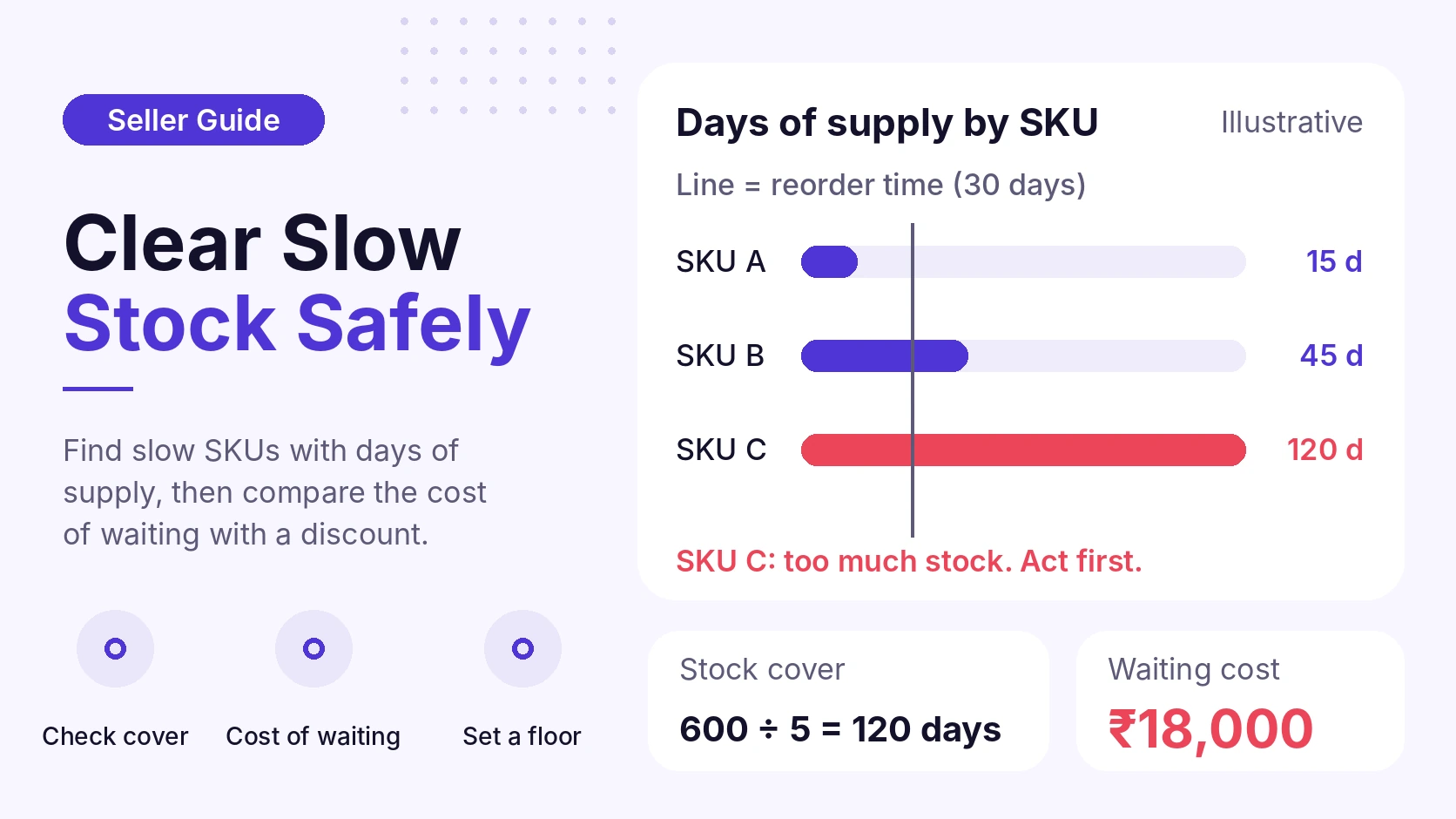
Use days of supply. This is the number of days your current stock will last at your current sales pace.
Formula: days of supply = units in stock ÷ average units sold per day
Use the last 30 days of sales. Then compare the result with your reorder time. If a product takes 30 days to reach Amazon again and you hold 120 days of stock, you hold about 90 days too many.
Our post on inventory days of supply explains this metric in more detail.
Also check these signs:
- Sales dropped for three or more weeks in a row.
- The SKU had a festive spike and has not recovered.
- Many units, few orders, and ad spend still running.
What does waiting really cost?
Do this calculation first. The numbers below are illustrative. They are not Amazon fees. Use your own costs.
Situation: 600 units in stock. Unit cost ₹300. Selling price ₹799. Sales: 5 units a day.
Step 1. Days of supply
Formula: units in stock ÷ units sold per day
Calculation: 600 ÷ 5 = 120 days
Step 2. Value of the stock
Formula: units × unit cost
Calculation: 600 × ₹300 = ₹1,80,000
Step 3. Monthly holding cost
Assume your cost of money is 1.5% a month. Assume storage and handling cost is ₹1,800 a month for this stock.
Formula: (stock value × monthly money cost) + storage
Calculation: (₹1,80,000 × 1.5%) + ₹1,800 = ₹2,700 + ₹1,800 = ₹4,500 a month
Step 4. Cost of waiting 120 days
Formula: monthly holding cost × months
Calculation: ₹4,500 × 4 = ₹18,000 (₹30 per unit)
Now test a 15% discount. The price falls from ₹799 to about ₹679. That is ₹120 less per unit. Assume sales rise to 12 units a day, so stock clears in 50 days.
| Option | Days to clear | Holding cost | Discount cost |
| Wait | 120 | ₹18,000 | ₹0 |
| 15% off | 50 | ₹7,500 | ₹72,000 |
The discount saves ₹10,500 of holding cost. It costs ₹72,000 in lost price. In this example, the discount is the worse choice.
This does not mean "never discount". It means a discount must beat the real risk of waiting. That risk is aged charges, falling demand, or expiry. If none of these is close, waiting can cost less.
When should you NOT discount?
Skip a deep discount when:
- Your price would fall below unit cost plus fees. Set a floor price first.
- The product has steady demand and is not close to any aged-stock limit.
- A discount could start a price war or break your price on other sales channels.
- You run ads on the SKU at a high ACoS (advertising cost of sales). Fix the ads before you cut the price. See TACoS vs ACoS vs ROAS.
What are your options to clear slow stock?
Match the option to the reason the stock is slow.
| Option | Best when | Main risk |
| Small price cut | Demand is soft, stock is not old | Margin loss |
| Bundle with a fast SKU | Fast SKU has steady sales | Bundle may confuse buyers |
| Targeted ads or coupon | Listing is good, visibility is low | Ad spend without sales |
| Removal order | Old stock, you can sell it elsewhere | Fees, shipping, handling time |
| Liquidation | Stock is old, little demand | Low recovery value |
Amazon also has tools such as removal orders and liquidation for FBA (Fulfilment by Amazon) stock. Fees, rules and deadlines change. Read the current terms in Seller Central before you choose.
Checklist: clear slow stock in 7 steps
- Export your inventory and sales for the last 30 days.
- Calculate days of supply for each SKU.
- Mark SKUs with far more stock than your reorder time.
- For each one, work out unit cost, fees and a floor price.
- Calculate the cost of waiting, as in the example above.
- Pick the smallest action that works: price test, bundle, coupon, or ads.
- Review after 7 days. If sales do not move, go to the next option.
Change one thing at a time. If you change price, ads and listing together, you will not know what worked.
What about reorders?
Do not reorder a slow SKU. Also check the festive spike. One sale month can make a product look faster than it is. Use sales from normal weeks to plan the next purchase.
If you plan for the next sale, read our Freedom Sale preparation guide for Indian sellers. Plan quantity with the pace you saw in normal weeks, not only in sale weeks.
How eComSuite helps
Counting days of supply for each SKU by hand takes time. These eComSuite modules, as described on the tools page, can help:
- Inventory Dashboard gives a central view of stock levels and helps you spot stockouts and excess inventory.
- Inventory Forecasting uses sales data and seasonality to forecast demand, so you can plan stock levels.
These tools show you where the problem is. You still decide the price, the action and the timing.
Frequently asked questions
How do I know if my Amazon stock is slow-moving?
Calculate days of supply for each SKU. Compare it with your reorder time. If your stock lasts far longer than the time to restock, the SKU is slow.
Does Amazon charge for old inventory?
Amazon has described an aged inventory surcharge for units stored a long time, in addition to storage fees. Rates and age limits can change. Check your fee pages in Seller Central.
Is liquidation a good idea?
Liquidation can free cash and stop storage cost. The recovery is usually low. Use it for old stock that discounts cannot clear. Read the current terms in Seller Central first.
Takeaway
Slow stock costs money every day, but a deep discount can cost more than waiting. Find slow SKUs with days of supply. Compare the cost of waiting with the cost of a discount. Then use the smallest action that clears the stock.
Want to see which SKUs hold too much stock? Try eComSuite.
Sign Up - Free