


- By Admin
-
 Listing Optimization
-
 31 July, 2026
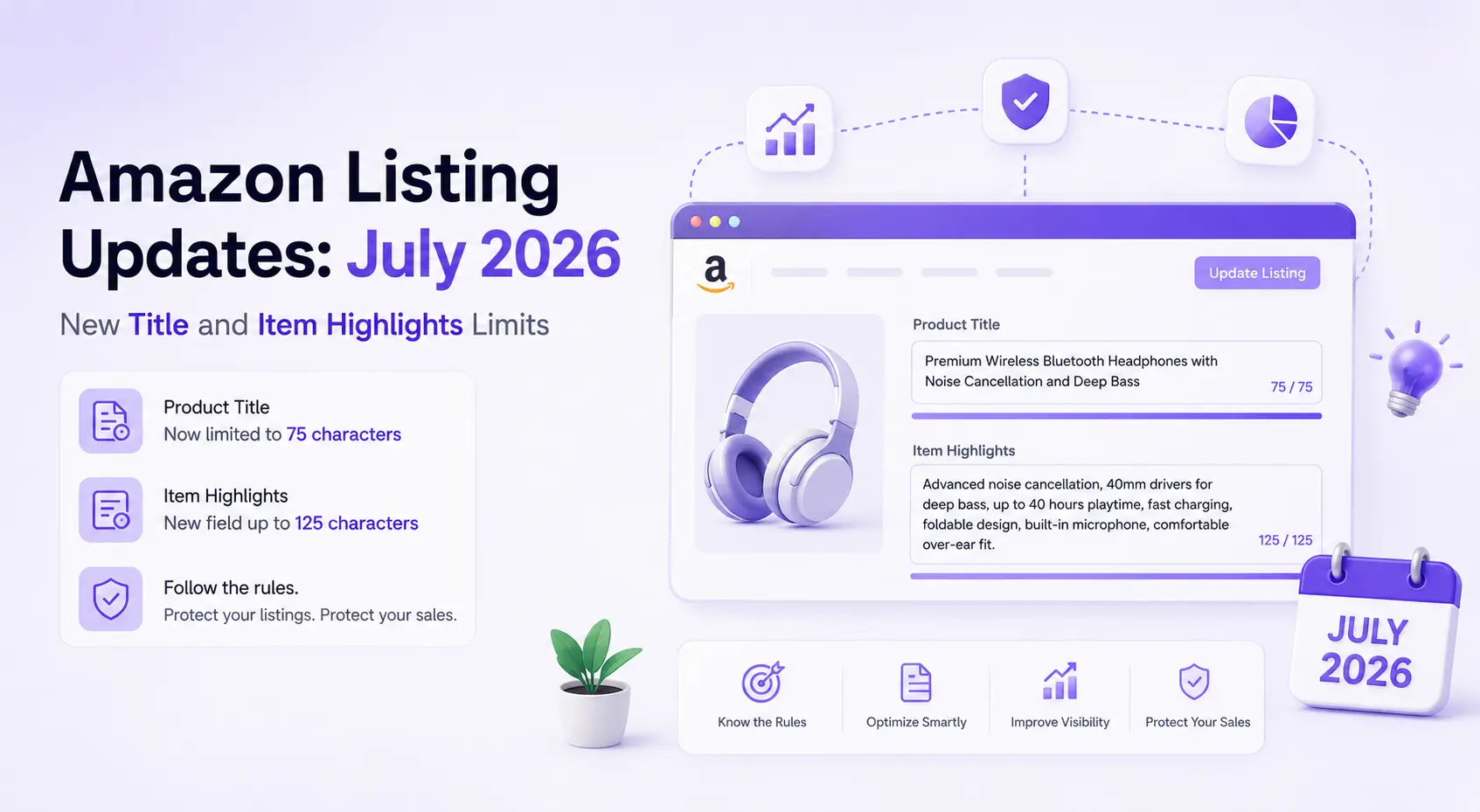
Amazon's July 27, 2026, marketplace update enforcing a strict 75-character limit on product titles and introducing a 125-character Item Highlights field requires sellers to fundamentally restructure their listings to maintain organic visibility and prevent unwanted AI-generated rewrites.
The Evolution of Amazon Search and Discoverability
For years, Amazon product titles have been a battleground for search engine optimization. Historically, Amazon permitted titles of up to 200 characters in many categories, leading sellers to pack as many keywords, features, and promotional phrases into the primary listing title as possible. While this strategy successfully captured long-tail search traffic, it created a visually overwhelming and frustrating experience for shoppers-particularly on mobile devices where excessively long titles are abruptly truncated.
Recognizing that this friction was harming customer conversion rates, Amazon has officially rewritten the rules of marketplace discoverability. As of July 27, 2026, the era of the keyword-stuffed product title is over. By enforcing a mandatory 75-character limit, Amazon is forcing catalog managers and brand owners to prioritize absolute clarity, immediate brand recognition, and core product identity.
At the same time, Amazon did not simply eliminate valuable SEO real estate. They introduced "Item Highlights"-a brand new, highly visible, and fully searchable 125-character field located directly beneath the title. This update elegantly resolves the long-standing tension between identifying the product clearly and indexing for performance signals.
At eComSuite, our goal is to help modern Amazon sellers navigate complex marketplace shifts with precision. This comprehensive guide is designed to clarify the exact technicalities of the new rules, identify common accuracy pitfalls sellers are making, and provide a proven framework to update your catalog before Amazon's automated systems do it for you.
Decoding the 75-Character Title Limit and Exceptions
The new 75-character maximum is absolute and applies to almost the entire Amazon catalog. Every single letter, numeral, punctuation mark, and space counts toward this strict limit.
However, for absolute accuracy, sellers must be aware of the specific scope and exceptions to this rollout:
- Category Exceptions: The 75-character limit applies strictly to all non-media categories. Media products (like books, movies, and music) have different structuring requirements.
- Geographic Exceptions: According to Amazon's official seller guidance, these new title rules apply to all global stores except Saudi Arabia, Egypt, Türkiye, and the United Arab Emirates. Sellers operating in those specific regions should consult local marketplace guidelines before making bulk edits.
- Child ASIN Enforcement: The rule applies universally to all individual ASINs. You cannot have a compliant 70-character parent title and then append 30 characters of size and color data to the child ASIN, pushing it over the limit. Every child variation must independently remain under 75 characters.
Amazon's recommended formula for your new, ultra-lean title is straightforward: Brand Name + Core Product Type + Key Differentiating Attribute.
The Strict Rules of Title Compliance
Simply cutting your title down to 74 characters is not enough. Amazon has tightened the quality standards for what those remaining characters can contain. Ensure your new titles adhere to these highly specific, updated rules to avoid listing suppression:
1. The "More Than Twice" Repetition Rule
A common misconception is that sellers can no longer repeat any words. The accurate rule is that the exact same word cannot appear more than twice within the title. There are limited exceptions to this rule for necessary grammatical connectors, specifically prepositions (in, on, with), articles (a, an, the), and conjunctions (and, or). This rule is designed to actively penalize blatant keyword stuffing.
2. Prohibition of Promotional Language
Your title must be purely descriptive. You must entirely remove subjective or promotional phrases. Words and phrases such as "Best," "Top-Rated," "100% Quality," "Free Shipping," "Sale," or "Bestseller" are strictly prohibited and will trigger automated compliance warnings.
3. Strict Limits on Special Characters
Do not use special characters for decorative purposes to make your listing "pop." Amazon actively prohibits the use of symbols like !, $, ?, _, {, }, ^, and ~ in titles. You may only use standard, functional punctuation-such as commas, hyphens, forward slashes, and periods-when they legitimately improve the readability of the title or are necessary for a valid measurement identifier.
4. Mandatory Use of Numerals
To save valuable character space and improve scanability, Amazon requires the use of numerals rather than spelled-out numbers. You must write "4-Pack" rather than "Four-Pack," and "16 oz" instead of "Sixteen Ounces."
Mastering the 125-Character Item Highlights
The introduction of Item Highlights is the most significant opportunity in this update. This 125-character field gives sellers a dedicated, searchable space to house all the crucial performance signals, technical specifications, and secondary features that had to be cut from the main title.
Because Item Highlights are fully indexed by Amazon's A9 search algorithm, moving long-tail keywords from your old title into this new field will preserve your discoverability. However, formatting is critical.
Amazon strongly advises against writing full, conversational sentences in this field. Instead, Item Highlights should be structured as concise, comma-separated phrases. This ensures maximum keyword density and rapid readability for shoppers comparing products side-by-side.
Prioritize the following information in your Item Highlights:
- Material Specifications: Highlight exactly what the product is made of (e.g., 100% organic cotton, BPA-free plastic, medical-grade stainless steel).
- Compatibility Details: Crucial for the electronics, automotive, and appliance replacement parts categories (e.g., compatible with iPhone 15 Pro, fits standard 2-inch hitches).
- Intended Use Cases: Clarify who the product is for or where it should be used (e.g., indoor/outdoor use, travel-friendly, ideal for gym setups).
- Functional Inclusions: Manage customer expectations immediately to reduce return rates (e.g., batteries included, mounting hardware provided, USB-C cable not included).
Pair this new field with eComSuite's Listing Optimizer to test title and Item Highlights combinations before you publish them live.
Category-Specific Optimization Examples
To illustrate exactly how to balance the 75-character title and the 125-character Item Highlights, let's look at highly accurate before-and-after examples across different e-commerce categories.
Supplements & Health
Before (Non-Compliant - 165 characters):
VitalityBoost Premium Ashwagandha Root Extract Capsules for Stress Relief and Anxiety Support, 1300mg, Vegan, Non-GMO, Gluten Free, Black Pepper for Absorption, 60 Ct
After Title (Compliant - 63 characters):
VitalityBoost Ashwagandha Root Extract Capsules, 1300mg, 60 Ct
Item Highlights (Compliant - 83 characters):
Stress and anxiety support, vegan, non-GMO, gluten-free, black pepper for absorption
Home & Kitchen Appliances
Before (Non-Compliant - 152 characters):
ChefMaster Pro Digital Air Fryer Oven 8 Quart Capacity with 10 Presets, Stainless Steel, Oil-Free Cooking, Dishwasher Safe Basket, Free Recipe Book Included
After Title (Compliant - 60 characters):
ChefMaster Pro Digital Air Fryer Oven, 8 Quart, Stainless Steel
Item Highlights (Compliant - 81 characters):
10 cooking presets, oil-free frying, dishwasher-safe basket, recipe book included
Notice how the compliant titles instantly tell the shopper what the item is and its primary defining size/material. The Item Highlights then carry the heavy lifting for the secondary conversion drivers.
The Immediate Threat of AI Auto-Rewrites
Understanding the rules is only the first step; understanding the enforcement mechanism is critical for protecting your revenue. Because the July 27, 2026 deadline has passed, Amazon is actively enforcing these limits.
If you have listings that currently exceed 75 characters, Amazon is deploying AI-powered automated tools to rewrite your titles and generate Item Highlights on your behalf. Amazon states that brand-registered owners will have a 14-day window to review these AI-generated changes inside the "View enhancements" dashboard before they are fully implemented.
Relying on these automated rewrites is a massive commercial risk. Amazon's AI prioritizes strict character compliance and broad readability. It does not know your brand's unique positioning, it does not know which specific long-tail keywords historically drive your highest conversion rates, and it may hallucinate or misinterpret a crucial compatibility feature.
Handing over control of your titles to an automated system means handing over control of your search performance. Sellers must proactively audit their catalogs and manually craft their listings to ensure their most profitable search terms remain highly visible.
A Step-by-Step Catalog Audit Framework
For businesses managing vast catalogs spanning hundreds or thousands of ASINs, ad-hoc editing is a recipe for disaster. You need a structured, phased approach to systematically update your listings efficiently.
Step 1: The Revenue-Driven Triage
Do not update your catalog alphabetically. Export your active inventory and sort it by revenue contribution. Identify the top 20% of your products that generate 80% of your sales. You must manually rewrite the titles and Item Highlights for these hero ASINs immediately to protect them from Amazon's AI algorithms.
Step 2: Tackle High-Traffic, Low-Conversion ASINs
Focus next on listings that get plenty of clicks but fail to convert. Often, a low conversion rate is a symptom of a confusing title. Use the strict 75-character limit to sharply redefine what the product actually is, and use the Item Highlights to proactively answer the most common objections found in your negative customer reviews.
Step 3: Restructure Parent-Child Variations
Variation families require meticulous care. Under the new guidelines, you cannot use a lazy, bloated parent title that trickles down to the children. Write a broad, generic title for the parent ASIN. Then, craft highly specific, individual titles for every single child ASIN that clearly state the exact size, color, or flavor variant-while keeping each under 75 characters.
Step 4: Shift Focus to Backend Search Terms
With the primary title strictly limited, your backend "Search Terms" field becomes more valuable than ever. Any secondary keywords, alternative spellings, or colloquial terms that you had to remove from your old 200-character title (and that don't logically fit into the Item Highlights) must be meticulously added to your backend search terms to ensure you do not lose indexing.
Elevating Your Strategy with eComSuite
A catalog overhaul of this magnitude requires more than just editing text; it requires robust tracking to measure the commercial impact of your changes. Updating a title is only half the battle-the other half is ensuring that your new, shortened title does not accidentally tank your organic search ranking.
This is exactly where eComSuite provides a massive competitive advantage. eComSuite acts as the central intelligence hub for serious e-commerce operators. By consolidating your marketplace data into centralized, actionable dashboards, eComSuite allows you to monitor the real-time financial impact of your catalog updates.
When you push a new 75-character title live, eComSuite's comprehensive tracking capabilities allow you to monitor daily shifts in click-through rates, conversion rates, and overall sales velocity down to the individual ASIN level. If you notice a sudden drop in sessions after updating a title, it is a strong signal that a critical indexing keyword was lost in the transition, allowing you to pivot quickly.
Furthermore, if a newly compliant title causes a temporary dip in organic visibility as the A9 algorithm recalibrates, eComSuite's automated Ad Optimizer features can help you dynamically adjust your PPC bids to maintain top-of-search placement and defend your market share. eComSuite also automates routine operational tasks, such as feedback solicitation, freeing up your team's valuable time so they can focus on high-level catalog strategy rather than manual data entry.
Conclusion
Amazon's decision to limit titles to 75 characters and introduce the searchable 125-character Item Highlights field represents a permanent shift toward a cleaner, faster, and highly mobile-optimized shopping experience. While adapting to this change requires a significant investment of time, sellers who embrace this segmented content strategy will gain a clear advantage.
By prioritizing brand identity in the title, leveraging the Item Highlights for crucial performance signals, and strictly adhering to the exact repetition and formatting rules, you can safeguard your listings. Do not wait for Amazon's AI to blindly rewrite your catalog. Take control of your listings today, track your performance meticulously, and utilize advanced analytics platforms like eComSuite to ensure this marketplace update becomes a catalyst for your profitability, rather than a threat to your revenue.
Empower your growth with eComSuite's multi-channel marketing tools.
Get Started
Sign Up - Free